
Kia UK's own answer is that it doesn't hold a car's service record. Its customer services page says "we do not hold servicing or finance information", and its warranty FAQ says Kia UK does not maintain a centralised service record database. So we couldn't find a single Kia login that opens the whole history of every UK Kia, and this guide is built around the routes that do work.
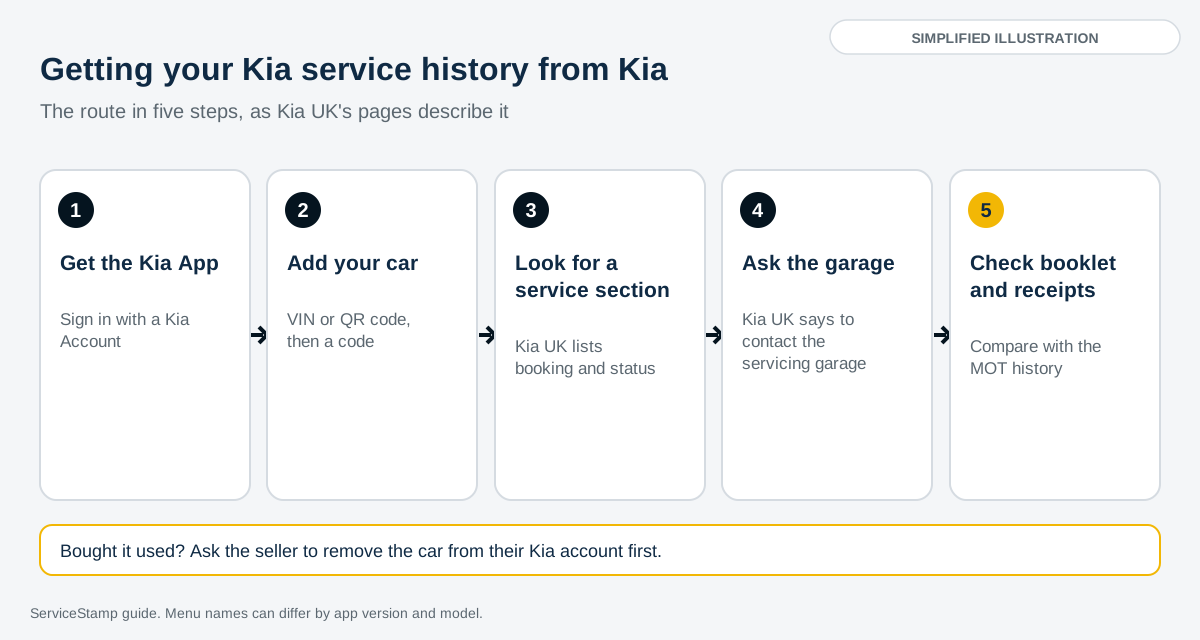
Those routes are the Kia App, the garage that serviced the car, the stamped booklet and the receipts. This guide takes them a step at a time, with an illustration of each, and covers what to do when the history doesn't show.
Quick answer
Download the Kia App, sign in with a Kia Account and add your car with its VIN or the QR code on the car's navigation screen. Then look for a service section in the app. Kia's European launch release (non-UK) says the app gives access to digital service history and the warranty booklet, and we couldn't find Kia UK saying the same for UK cars. Kia UK says to ask the garage that serviced the car, or the previous owner, so that's the next step. If you're buying a Kia, the app can't show you a car that isn't yours yet, so ask the seller for the booklet and receipts, or run a check by registration or VIN.
In This Guide
What you need before you start
A smartphone with the Kia App. It's free to download from the App Store and Google Play. On Google Play UK it's listed as Kia App, by Kia Corporation, last updated on 27 August 2026.
A Kia Account. Kia UK's Kia Connect FAQ says you need to create one to use the app. Kia UK's Kia App page says you can sign up with your email or an existing Kia Connect account.
The car's VIN, or the car itself. The 17 character VIN is on the V5C logbook and at the base of the windscreen. Kia UK's FAQ says you can also scan a QR code on the car's navigation screen.
A car that works with the app. Kia UK's FAQ says the Kia App only accepts VINs from vehicles that are compatible with Kia Connect, and that each VIN can be linked to one account.
The booklet and receipts, if you have them. Kia UK's warranty terms ask owners to keep their maintenance records handy, together with all their receipts.
Step 1: Download the Kia App and sign in
Search the App Store or Google Play for Kia App and install the one from Kia Corporation. Kia UK's page says it combines the earlier Kia Connect and Kia Charge apps, and Fleet World reported in June 2025 that it replaced five older apps, including MyKia and Kia Warranty Book. If you still have MyKia or Kia Connect on your phone, the Kia App is the one to use now.
Open the app and sign up with your email, or sign in with your existing Kia Connect login. Kia UK says you also need to accept the Terms of Use and Privacy Notice.
Step 2: Add your car
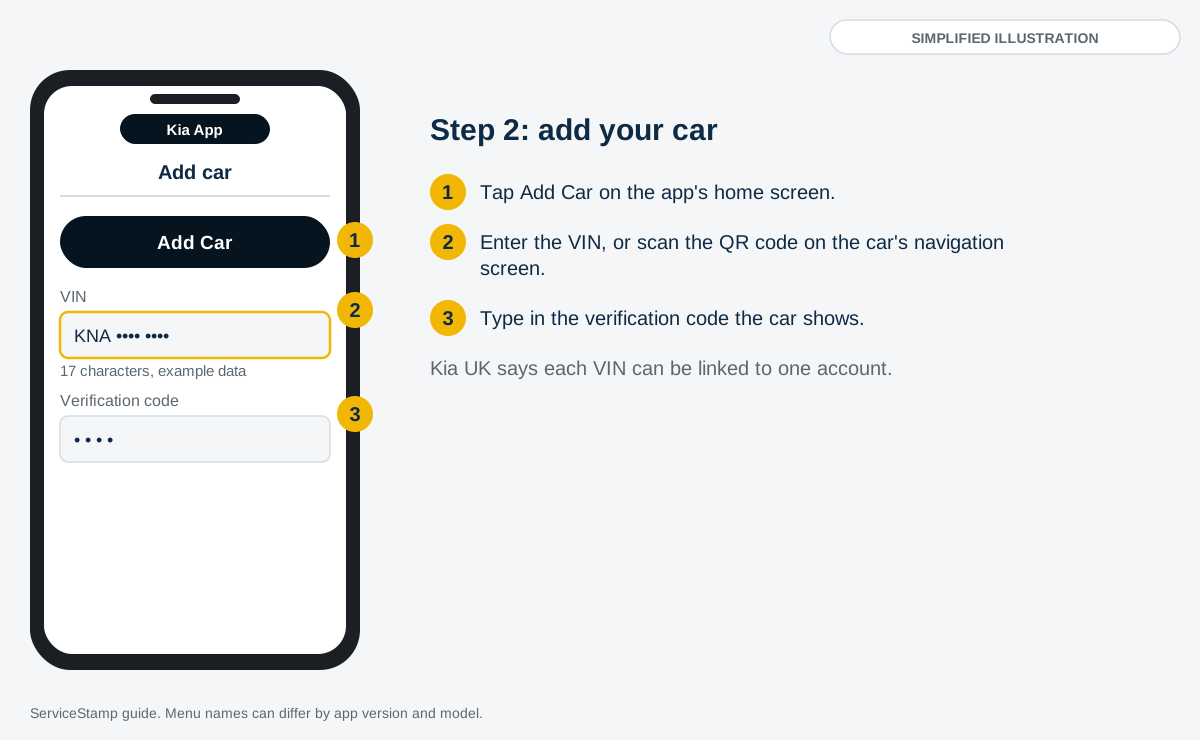
Kia UK's Kia Connect FAQ gives the steps for adding a car. Tap the Add Car button on the app's home screen. Then either scan the QR code on the car's navigation screen or type in the VIN. The navigation screen then shows a verification code, which you enter in the app to finish.
Type the VIN carefully, as a single wrong character points at a different car.
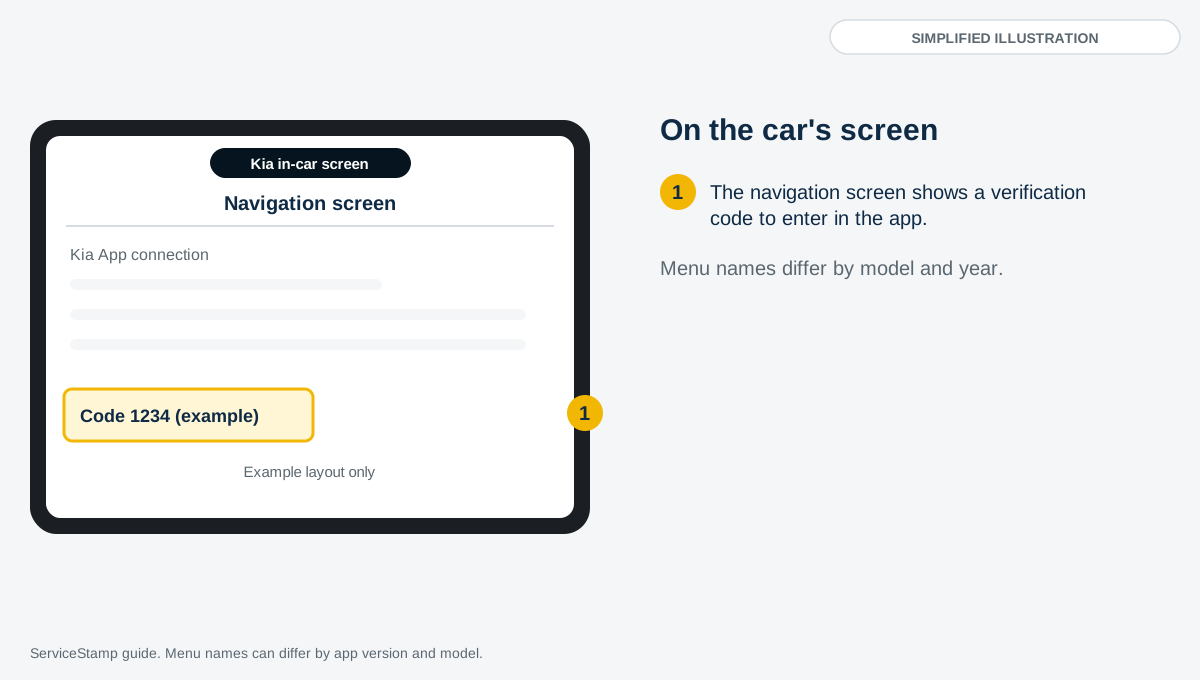
The code is shown on the car's navigation screen, according to Kia UK's FAQ. If you're unsure whether the car has Kia Connect at all, the FAQ advises contacting your Kia dealer or using the contact form on its website.
Step 3: Look for a service section in the app
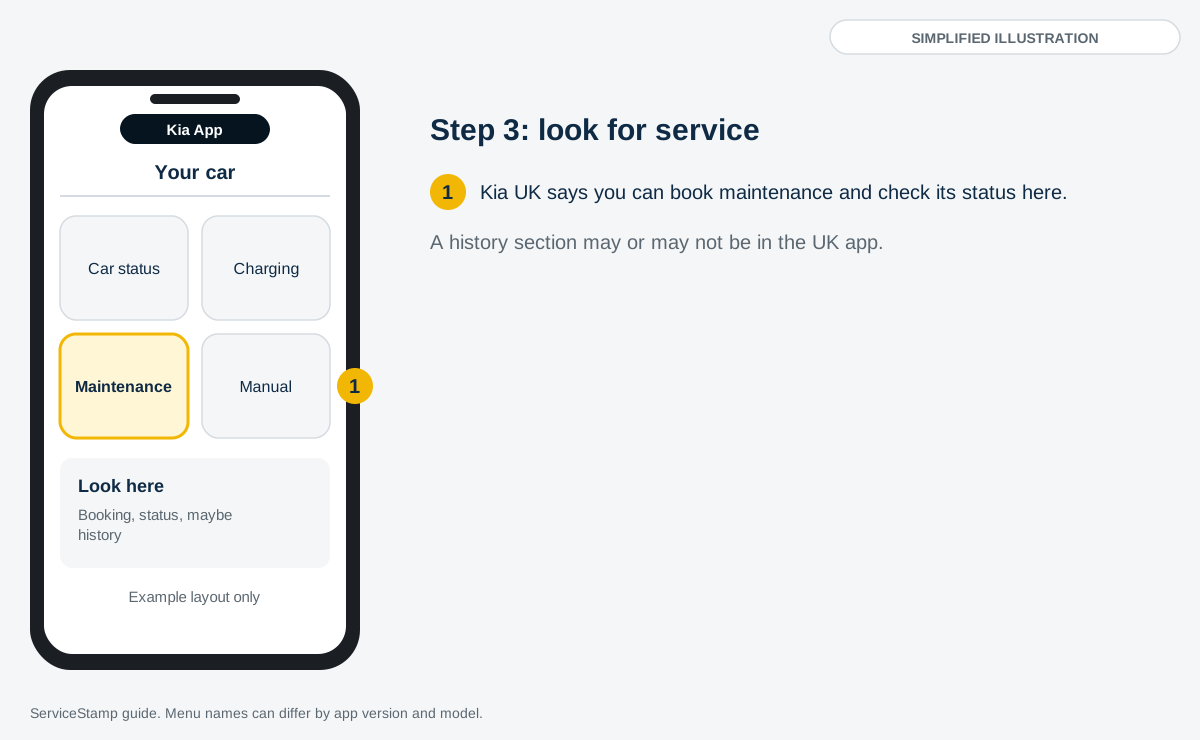
Once the car is added, look through the app for anything service related. Here's what the published sources say it offers:
Kia UK's Kia App page describes three areas: connectivity, charging and maintenance. For maintenance it says you can book services and check their status.
The Google Play UK listing says you can choose a dealer and book maintenance, and view the owner's manual. It doesn't mention service history. It lists a separate app, KIA warranty book, among Kia Corporation's other apps.
Kia's European launch release (non-UK) says drivers can access digital service history and the warranty booklet in the app. The app's release notes say a Digital Service History is available for supported markets.
We couldn't find Kia UK saying the UK is one of those markets, so we can't promise the history is there. Open the app on a car you own and look. A service history section may be there, or you may find only booking and status.
If you find a history, read each entry for the date, the mileage and what was done, and compare it with the booklet.
Step 4: Ask the garage that serviced the car
This is the route Kia UK itself points to. Its customer services page says that for service history, you should contact your servicing garage and the previous owner. Ask whether it can print what it holds against the registration or VIN. It may want proof that the car is yours.
If you're buying from a dealer, Kia UK's customer services page says the Vehicle Sales Code of Practice expects the handover to include all available historic documentation, service history and a valid MOT certificate.
What to ask for:
A printout of the visits it has on file, with dates, mileages and the work done.
Copies of the invoices for any work that isn't itemised on the printout.
Confirmation of which Kia dealer or garage did each service, so you know whom to ask next.
Step 5: Check the booklet and receipts
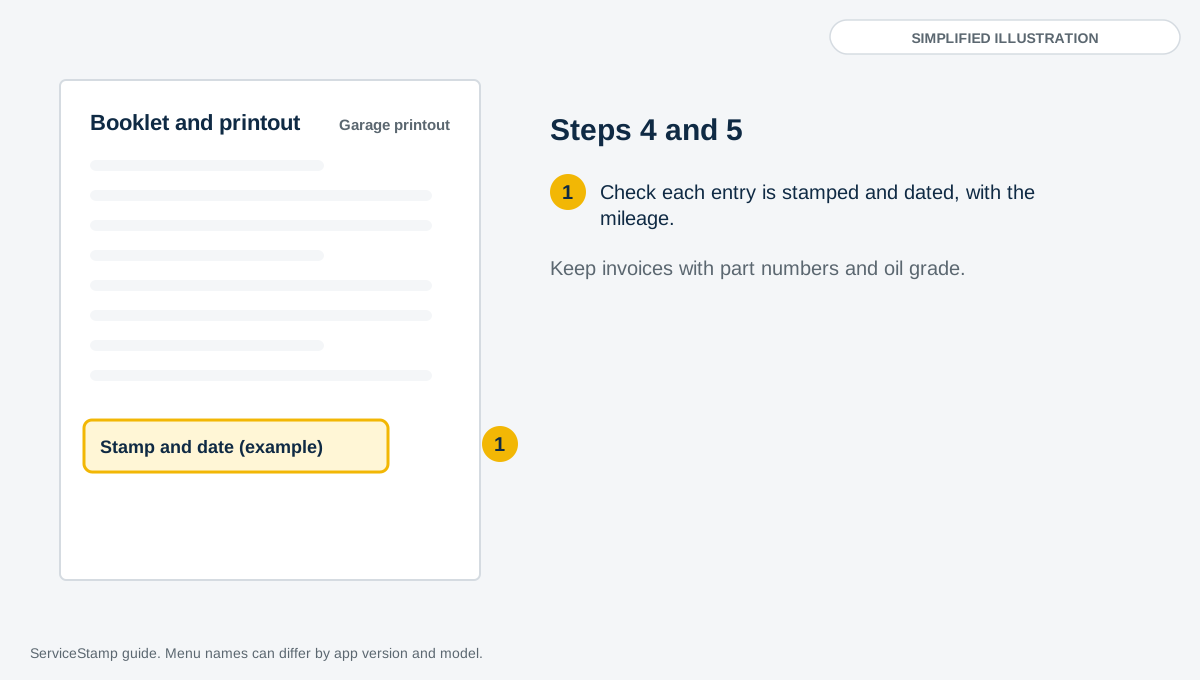
Kia UK calls the booklet the Warranty Information and Service Record Booklet. Its warranty terms say the scheduled maintenance records should be filled in whenever the car goes in for service or maintenance. We couldn't find Kia UK saying whether a new car now comes with a paper booklet or an app version, so ask the seller to show you whichever the car has.
Kia UK's advice for a car serviced outside its network is a good test for any entry. It recommends that:
the garage is VAT registered
the service is done as detailed in the owner's manual
genuine Kia parts and lubricants, or ones of equivalent quality, are used
the invoice shows the part numbers and the type and grade of oil
the service record in the booklet is stamped and dated
If the booklet is lost, Kia UK's advice for an incomplete one is to contact the dealer that carried out the work, or the previous owner. The same applies to a missing book.
Step 6: Compare it with the MOT history
Open GOV.UK's MOT history service and enter the registration. It shows the mileage at each test, so it gives you an independent set of mileages to hold against the service entries. Check three things:
The dates and mileages run in order. A mileage that drops between entries needs explaining.
The gaps. A long gap may mean the servicing was done elsewhere, or not done. Ask for invoices.
The mileages sit close to the MOT mileages. If a service says 40,000 miles and the MOT a month later says 52,000, ask why.
What a healthy Kia history looks like
A service every 12 months is the usual pattern for a Kia with an engine, with a mileage limit of 10,000 or 20,000 depending on the model. Kia UK's June 2026 interval guide gives its current electric cars two years or 20,000 miles, and the petrol Stinger six months or 6,000 miles. Auto Express gives brake fluid every two years on the Sportage. For the full table by model, see our Kia service history page.
If you've bought the car used
Kia UK's Kia Connect FAQ says each VIN can be linked to only one account, so the previous owner may still have the car in theirs. The FAQ says that when selling, the owner should remove the car (VIN) from their Kia App or deactivate Kia Connect in the car. It also says deactivating Kia Connect services deletes any personal data left behind by the previous owner, and that you can then reactivate it and link the car to your own Kia Account.
So if the Add Car step fails, ask the seller to remove the car from their account, or deactivate Kia Connect in the car's settings, and try again. If you're not sure the car has Kia Connect, Kia UK's FAQ says to contact your Kia dealer or use its contact form.
Once it's linked to you, don't expect a full back story straight away. Whether the app carries the history from before your purchase is something we couldn't find Kia UK describing. Ask the previous servicing dealer or garage for its records instead, and keep the seller's booklet and receipts safe.
Kia's 7 year warranty passes to each new owner. Kia UK says it transfers as long as it hasn't expired, and that owners don't have forms to complete. Our Kia service history page has the terms.
The verification code on the car's screen
The code in Step 2 is the one a Kia owner is most likely to get stuck on. Kia UK's FAQ says the car's navigation screen shows the verification code you enter in the app.
Start from the Add Car button, then scan the QR code on the navigation screen or enter the VIN.
Read the verification code from the navigation screen and type it into the app.
If you can't find the code, we couldn't find a UK page that names the in-car menu, and menu names can differ between models and years. Check the owner's manual for the car, or ask a Kia dealer to show you.
If the car turns out not to be compatible with Kia Connect, Kia UK says the app won't accept its VIN. In that case the booklet, receipts and the servicing garage are the routes left.
If the history doesn't show
| What you see | Likely reason | What to do |
|---|---|---|
| The app won't accept the VIN | Kia UK says the app only accepts VINs from cars compatible with Kia Connect, or the VIN is linked to another account | Check the VIN, ask the seller to remove the car from their account, or ask a Kia dealer |
| The car's screen shows no code | We couldn't find a UK page explaining this, and the car may not be compatible with Kia Connect | Check the owner's manual for the car, or ask a Kia dealer |
| The car is added, but there's no service history section | The app's service history may not be available for UK cars. Kia's release notes say it's for supported markets | Ask the servicing garage for a printout, and check the booklet and receipts |
| There's a service section, but it's empty or thin | We couldn't find Kia UK describing how entries get into the app, and Fleet World reported the app only launched in June 2025 | Ask the dealer that serviced the car for its records, and keep invoices for any independent work |
| The booklet is missing or incomplete | It was lost, or the stamps weren't added | Kia UK advises contacting the dealer that did the work, or the previous owner |
| Kia customer services can't help | Kia UK says it doesn't hold servicing or finance information | Go back to the servicing garage, or run a check by registration or VIN |
Can you see it on a computer?
We couldn't find a Kia UK page that offers a service history on a computer. Kia UK's Kia App page and the Google Play UK listing describe the app, and its Kia Connect FAQ page describes the Kia Account. Kia Belgium (non-UK) has a page titled Service History under its MyKia section, and we couldn't read what it says, so we can't say whether UK owners get an equivalent.
You can ring Kia UK customer services on 0333 202 2990. Its contact page lists the number without opening hours, so check before you ring, and remember what it says about not holding servicing information.
What a Kia service record covers, and what it doesn't
Kia dealers. A ServiceStamp check returns the workshop entries Kia dealers have logged against the car, including recall and warranty work. Records vary by dealer.
Independent garages. Kia UK says you can use an independent repairer without affecting the warranty, provided genuine Kia parts or parts of equivalent quality are used. Don't expect independent services to appear in dealer records. They need the stamped booklet and the invoice as proof.
Older cars. We couldn't find Kia saying when its digital service records began. ServiceStamp's records typically start around 2012 across the brands we cover. For older cars, the booklet and receipts are the main record.
Service intervals. How often a Kia needs a service, by model, engine and year, is in the table on our Kia service history page.
Body inspections. Kia's 12 year anti-perforation warranty depends on inspections by a Kia dealer or authorised repairer every 12 or 24 months, depending on the model, and the terms tell owners to make sure the record has been stamped.
Buying a used Kia? The app won't help until it's yours
Everything in Steps 1 to 3 depends on the car being linked to your Kia Account, and Kia UK's FAQ says each VIN can be linked to one account. So before you buy, the app can't show you the history of a car you're looking at.
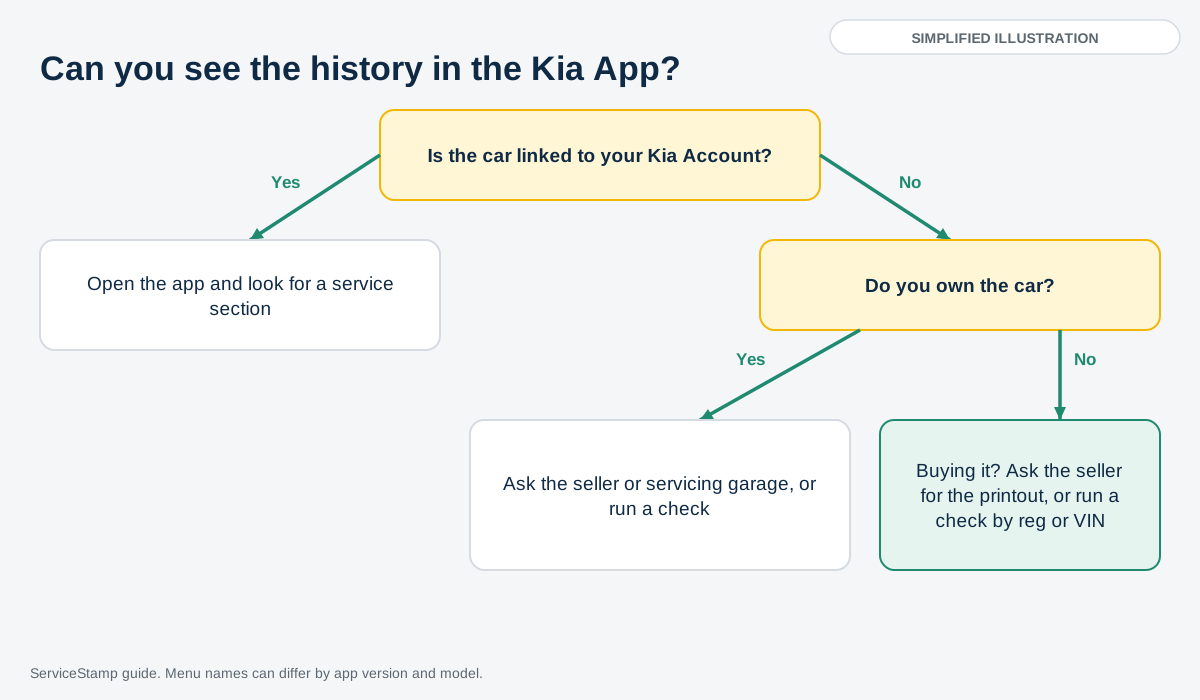
You have two routes as a buyer:
Ask the seller. Ask for the booklet and the receipts, and ask them to open the service section of the Kia App and show you the entries if the car has one.
Check it yourself. A ServiceStamp Service History Check gets the Kia dealer workshop records. Enter the registration or VIN, pay £12.99, and the report comes back in minutes with the MOT and mileage history beside it. You don't need to be the registered keeper, and you don't need the car, its key or the app. If a technical error stops the report, you get a full refund.
Before you buy: a quick checklist
Ask for the service booklet and check each service is stamped and dated.
Ask for the receipts, with part numbers and the oil grade on any independent invoice.
Compare the service mileages with the MOT mileages on GOV.UK.
Look up the interval for the model and engine, and check the services fit it.
Make sure the VIN on the V5C, the windscreen and the booklet all match.
Our Kia service history page has the full ten-point checklist.
Check a Kia service history by reg or VIN, £12.99
Kia app service history FAQs
Can I see my Kia service history in the app?
Possibly. Kia's European launch release (non-UK) says drivers can access digital service history in the Kia App, and the app's release notes say it's for supported markets. We couldn't find Kia UK confirming the UK is one. Kia UK's own page only mentions booking maintenance and checking its status, so open the app on a linked car and look.
Does Kia hold my service history?
Kia UK says not centrally. Its customer services page says it does not hold servicing or finance information, and its warranty FAQ says it does not maintain a centralised service record database.
What is the Kia App?
It's Kia's single app for connectivity, charging and maintenance. Kia UK says it combines Kia Connect and Kia Charge, and Fleet World reported it replaced five older apps including MyKia. Google Play UK lists it as Kia App, by Kia Corporation.
How do I add my Kia to the app?
Tap Add Car on the home screen, then scan the QR code on the car's navigation screen or enter the VIN, as Kia UK's Kia Connect FAQ describes. Enter the verification code the car shows to finish.
How do I add a used Kia to my account?
Follow the same steps. Kia UK's FAQ says each VIN links to one account, so the seller should remove the car from theirs, or deactivate Kia Connect in the car, first.
Why won't the Kia App accept my VIN?
Kia UK's FAQ says the app only accepts VINs from vehicles compatible with Kia Connect, and that a VIN can be linked to one account. Check the VIN, and ask a Kia dealer if you're unsure.
Why is my Kia service history blank in the app?
The feature may not be offered for UK cars, or the dealer may not have uploaded the entries. Ask the servicing dealer or garage for its records, and use the booklet and receipts.
Can I view Kia service history on a computer?
We couldn't find a Kia UK page that offers it. Kia UK's contact number is 0333 202 2990, though it says it doesn't hold servicing information.
Do services at an independent garage show up?
Don't expect them to appear in dealer records. Kia UK says an independent repairer can be used without affecting the warranty if the parts are genuine or equivalent, so keep the stamped booklet entry and the invoice.
I've lost my Kia service book. What can I do?
Kia UK's advice for an incomplete booklet is to contact the dealer that carried out the work, or the previous owner. A ServiceStamp check shows which dealer visits are on record.
Can I check a Kia's service history before I buy it?
Not in the app, because the car isn't yours yet. Ask the seller for the booklet and receipts, or run a ServiceStamp check by registration or VIN for £12.99, which includes the MOT and mileage history.
Does it cost anything to use the Kia App?
The app is free to download. The Google Play UK listing says connected services are free for 7 years from delivery or first activation, and that availability depends on the vehicle.
Related guides
What is a full service history and why does it matter? What counts, and why buyers pay more for it
Check a used car's service history before buying How to read the records and spot red flags
Main dealer vs independent garage Does it matter where your Kia is serviced?
Vehicle history check vs service history check Why both checks matter before buying
Check a Kia's dealer service history by registration or VIN for £12.99 at ServiceStamp.co.uk, with the MOT and mileage history included.